
ERP Automation: Features, Benefits, Key Processes and Implementation Best Practices
Enterprise Resource Planning (ERP) systems have been the backbone of businesses for decades, giving them one platform to manage everything. Originally built to integrate core business functions, ERP has evolved with the demands of modern enterprises. Now businesses are going a step further with ERP automation: routine processes are streamlined, manual effort shrinks and errors drop.
This post covers what ERP automation is, its key features, how it compares with traditional ERP, the top processes to automate, and best practices for implementation.
In this article
What is an automated ERP system?
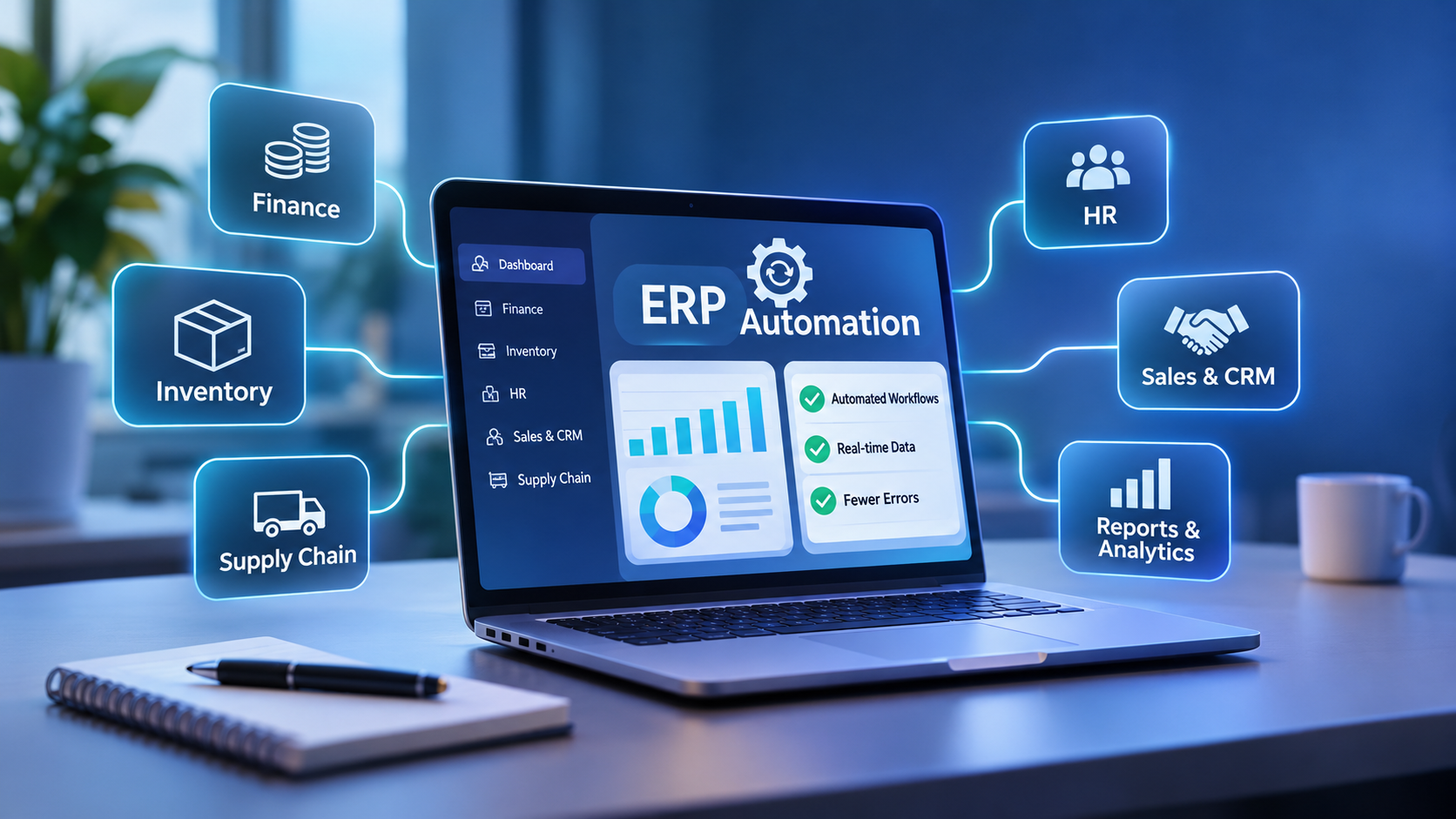
An automated ERP system is a software solution that integrates and manages all business operations in one place. It uses a central database to collect and analyze data, and covers everything from supply chain and operations to accounting.
Market snapshot | Figure |
|---|---|
Projected global ERP software market by 2030 | USD 123.41B |
CAGR, 2023 to 2030 | 11.0% |
Modern ERP automation is an add-on to the traditional system. It brings in AI, machine learning, IoT and Robotic Process Automation (RPA) so tasks run with minimal human intervention.
For example, in a traditional ERP, a person adds invoices, expenses and receipts to the database. With ERP automation those entries are captured and posted automatically, saving time, reducing errors and freeing people for strategic work.
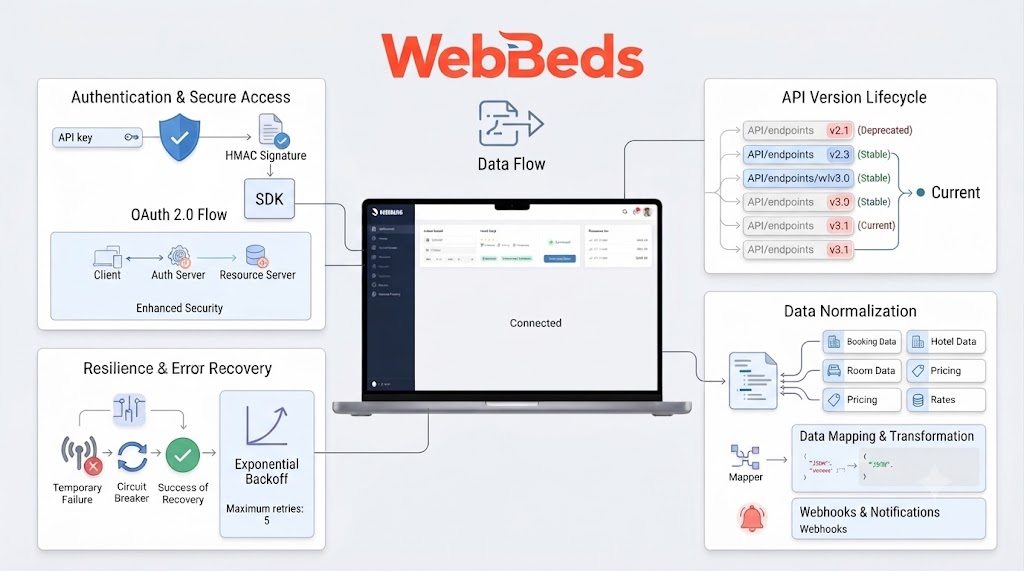
Figure 1: Data flows from business sources through the automation layer into one central database, then out to every module and report.
What are the features of an ERP automation system?
Centralized database: a single source of truth for all business data.
Real-time processing: immediate updates and reporting for better decisions.
Automation: payroll, invoicing and other repetitive work done by software, cutting errors and duplicated effort.
Integrated applications: sales, finance and inventory in one system, with everyone seeing the same information.
Accounting: expenses, revenues and budgets tracked in one place.
Supply chain management: optimizes the flow of goods and services and simplifies supplier and delivery management.
Data analytics: reports and dashboards generated in minutes from data across departments.
Tracking and visibility: follow products and services from start to finish.
CRM: manage customer interactions and build long-term relationships.
Benefits of an automated ERP system
A case study by Infor reported that companies using ERP automation can cut invoicing time by 70%. Other benefits include:
Fewer errors: software does the repetitive work, so data is more accurate.
Saves time and cost: data entry, processing and invoicing are automated, lowering operating costs.
Accessibility: with cloud-based ERP, employees can reach key information from anywhere, on any device, which suits remote work.
Better teamwork: departments share information easily and work together more effectively.
Higher productivity: staff are freed for strategic work.
Smaller carbon footprint: real-time digital data reduces paperwork and stationery.
How is ERP automation different from a traditional ERP?
Feature | Traditional ERP | Automated ERP |
|---|---|---|
Functionality | Business functions done manually | Uses AI, machine learning and automation |
User interaction | Manual input and monitoring | Minimal human intervention |
Efficiency | Time-consuming manual processes and data entry | Higher, thanks to automated repetitive tasks |
Data processing | Processed manually | Real-time |
Customization | Limited automation; manual customization | High, with automated triggers for specific tasks |
Productivity impact | Lower, due to delays and human error | Higher, with less human error |
Top ERP automation processes
Accounts payable / receivable: streamlined invoicing, approvals and payments for faster cycle times and accurate finances.
Inventory management: real-time stock tracking prevents overstocking and understocking.
Human resources: payroll, onboarding and performance tracking (via eHRX).
Document management: digitally store, manage and access important documents.
Sales order processing: automated workflows and approvals shorten the time from order to fulfilment.
Flowchart: automated invoice processing
Figure 2: Clean invoices flow straight through; mismatches and high-value invoices are routed to people, so staff only handle exceptions.
Best practices for implementing ERP automation
Figure 3: Five-step implementation roadmap.
Assess business needs: identify the specific processes that require automation.
Engage stakeholders: involve employees, managers and department heads so training lands properly.
Choose the right software: select tools that match your objectives and existing systems.
Test and implement: test before go-live and adapt the tool to your workflows and reporting needs.
Monitor live operations: after customization, watch for technical inefficiencies, loopholes and other issues.
Common challenges
Challenge | How to address it |
|---|---|
Resistance to change: staff may be reluctant to adopt new systems | Clear communication with all teams |
Data migration: moving data from old systems can be complicated | Careful planning, especially for data migration |
Cost overruns: implementation budgets are often underestimated | A gradual, phased rollout |
How ERP automation tools improve operations
Tools such as SAP and Microsoft can streamline processes and improve productivity. With Teenva AI's ERP solutions, businesses can automate reporting for faster, more accurate financial insight, supporting better strategic decisions.
Why a centralized database matters
If finance runs on one database and operations on another, work is duplicated and time is wasted. A centralized database unifies processes and brings increased transparency, better reporting, easy access to information, time savings, streamlined workflows and better collaboration between departments.
How ERP automation streamlines finance
Accounts payable: automated invoice processing and payment approvals. One example cited is Coca-Cola, which saw an 80% reduction in time spent on financial reporting.
Financial reporting: instant reports and analytics from real-time data.
Budgeting and forecasting: accurate budgets and forecasts so companies adapt quickly to market changes, customer demands and competition.
Cash flow management: real-time monitoring to optimize working capital.
Regulatory compliance: built-in checks align financial practice with regulations and reduce the risk of penalties.
Emerging trends and business size
AI-driven insights: predictive analytics for better forecasting.
Integrated platforms: ERP combined with other business tools for seamless operations.
These trends point to more flexibility, customization and responsiveness to changing markets. According to Capterra, 60% of SMEs plan to implement ERP systems in the next few years, so ERP automation suits businesses of every size:
Small businesses: focus on affordable solutions that can scale as the business grows.
Large corporations: may need more complex systems with greater customization.
Frequently asked questions
What is the meaning of an automated ERP system?
It is a software tool that brings together different parts of a business, such as finance, HR and inventory, in one place. It automates everyday tasks, reduces mistakes and helps managers make better decisions.
What are the best practices for implementing ERP automation?
Start by assessing which processes need automation, involve your teams early, choose software that fits your goals and existing systems, test before going live, and keep monitoring after launch. A phased rollout helps limit cost overruns and resistance to change.
Is ERP automation suitable for small businesses?
Yes. Small businesses can start with affordable, scalable solutions and grow into more advanced automation, while larger corporations may need more complex, highly customized systems.