

How to Build a Hotel Booking Engine Using WebBeds API
A hotel booking engine is the part of a travel website that lets customers search rooms, compare prices, and complete a reservation. Instead of contracting thousands of hotels yourself, you can power the engine with a supplier API such as WebBeds, which provides access to a large hotel inventory. This guide explains how to build a hotel booking engine using WebBeds API, covering architecture, core modules, the booking flow, payments, security, and testing.
Note: WebBeds provides its own documentation, credentials, and rules to approved partners. Endpoint names, request formats, and requirements can differ from the general patterns described here, so always follow the official documentation for technical specifics.
What Is a Hotel Booking Engine?
A booking engine is software that connects customer-facing search and checkout screens to hotel inventory, pricing, and reservation systems. A complete engine usually includes search, results and filters, property pages, room and rate selection, checkout, payment, confirmation, and booking management for customers and your internal team.
Why Build It on a Supplier API?
Large inventory without individual contracts: one connection gives you access to many properties.
Live availability and rates: reduces overbooking and price mismatch risk.
Faster time to market: you build the experience while the supplier maintains the inventory.
Control over your brand: you decide the interface, markup, and customer journey.
Core Modules of the Engine
Module | Purpose |
|---|---|
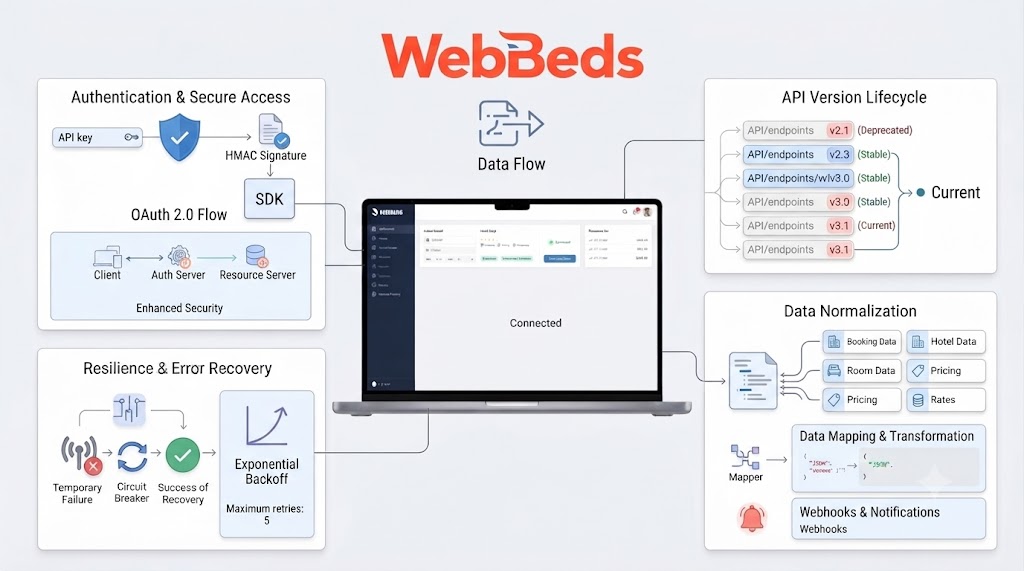
Supplier connector | Sends requests to and receives responses from the WebBeds API |
Static content manager | Stores hotel descriptions, photos, facilities, and locations |
Search service | Handles destination, dates, and guest queries |
Pricing engine | Applies markup, taxes, fees, discounts, and currency conversion |
Booking service | Creates, stores, and manages reservations |
Payment module | Connects to payment gateways and records transactions |
Customer interface | Search forms, results, property pages, and checkout |
Admin panel | Lets staff manage bookings, markups, users, and reports |
Notification service | Sends confirmations, reminders, and updates |
Suggested Architecture
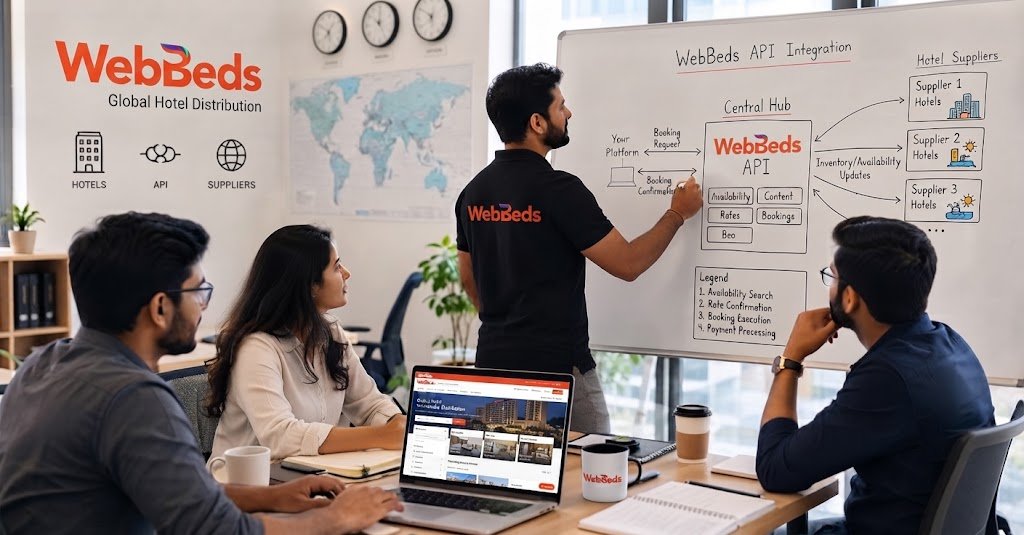
Keep the supplier connector as a separate layer. If you add more suppliers later, you can plug them in without rewriting your search, pricing, or booking logic.
Step-by-Step: How to Build the Engine
Step 1: Get Access and Plan
Secure your commercial agreement, credentials, and documentation. Decide your target markets, languages, currencies, and whether you need B2C, B2B, or both. List the features for your first release and leave extras for later.
Step 2: Choose Your Technology Stack
Pick technologies your team can maintain. A common setup includes a backend in Node.js, Python, Java, or PHP, a relational database for bookings, a cache such as Redis for temporary data, and a modern frontend framework for the user interface. Choose based on your team's skills rather than trends.
Step 3: Build the Supplier Connector
Create a module that handles authentication, builds requests, parses responses, and manages timeouts and errors. Convert supplier data into your own internal format so the rest of your system does not depend on the supplier's field names.
Step 4: Import and Manage Static Content
Hotel names, descriptions, images, and amenities change slowly, so store them locally and refresh on a schedule. This makes pages load faster and allows richer search and filtering.
Step 5: Build Search and Results
Send destination, dates, rooms, and guest details to the supplier and display the returned hotels and rates. Add filters for price, rating, amenities, and location, plus sorting options. Show cancellation terms clearly so customers know what they are buying.
Step 6: Create the Pricing Engine
Decide how to apply markup, taxes, fees, and discounts. Make sure the price at search, at selection, and at checkout is consistent, and handle currency conversion transparently.
Step 7: Build the Checkout and Booking Flow
Before confirming, recheck availability and price. Collect guest details, send the booking request, and store the confirmation reference. Design the flow so a slow response never creates duplicate bookings, for example by using unique request identifiers and checking status before retrying.
Step 8: Integrate Payments
Connect a compliant payment gateway, and never store raw card details unless you meet the required security standards. Record payment status alongside each booking and plan how refunds and cancellations affect payments.
Step 9: Add Booking Management
Let customers view and cancel bookings, and give your team tools to search, amend, and resolve issues. Include clear status labels such as pending, confirmed, failed, and cancelled.
Step 10: Send Notifications
Send confirmation emails, voucher documents, and reminders. Prompt communication builds trust and reduces support requests.
Step 11: Add Caching and Performance Controls
Cache static content and short-lived search results where allowed, but always verify live availability and price before booking. Use timeouts, retries, and parallel requests carefully, and respect any rate limits.
Step 12: Secure, Test, and Launch
Use HTTPS, keep credentials server-side, validate all inputs, and follow data protection rules that apply in your markets. Test search, booking, cancellation, failure, and timeout scenarios, complete any supplier certification, and launch gradually while monitoring closely.
Booking Flow
Best Practices
Separate concerns: keep search, pricing, booking, and payments as distinct modules.
Log everything important: requests, responses, and booking status changes help you fix problems fast.
Plan for failure: assume timeouts, sold-out rooms, and partial errors will happen.
Design for mobile: many customers search and book on phones.
Monitor performance: track response times, error rates, search-to-booking conversion, and abandoned checkouts.
Keep content quality high: good photos and accurate descriptions improve conversion.
Common Mistakes to Avoid
Showing cached prices as if they were live
Skipping the final availability and price check
Hard-coding supplier field names throughout your system
Storing credentials in client-side code
Ignoring cancellation and amendment flows until after launch
Underestimating the time needed for testing and certification
Frequently Asked Questions
Do I need a developer team to build a booking engine? Yes, in most cases. You need backend and frontend development, plus testing and security expertise. Some businesses buy or license a ready-made engine and connect it to supplier APIs instead.
Can I add more suppliers later? Yes, if you build the supplier connector as a separate layer and map data into your own format.
How long does it take to build? It depends on scope. A basic version can take a few months, while a full-featured engine with admin tools and multiple payment options takes longer.
Should I build or buy? Build if you need deep customization and have the team to maintain it. Buy or use a ready-made platform if speed matters more than control.
The Bottom Line
To build a hotel booking engine using WebBeds API, start with access and planning, create a clean supplier connector, and build search, pricing, booking, and payments as separate, well-tested modules. Verify availability and price before every booking, protect credentials and customer data, and test thoroughly before launch. Done well, you get a flexible engine that sells a wide range of hotels under your own brand.