
How to Integrate Shopify with Your ERP: A Practical Guide for Growing Ecommerce Businesses
If your Shopify store and your ERP system aren't talking to each other, someone on your team is probably doing it manually — copying order data into spreadsheets, updating inventory counts by hand, or chasing down mismatched numbers at month-end close. It works, until it doesn't. As order volume grows, that manual bridge becomes the slowest, most error-prone part of the business.
Integrating Shopify with your ERP fixes this by letting orders, inventory, and financial data move automatically between the two systems. Here's what that actually involves, where businesses typically get stuck, and how to approach it the right way.
Why Shopify-ERP Integration Matters
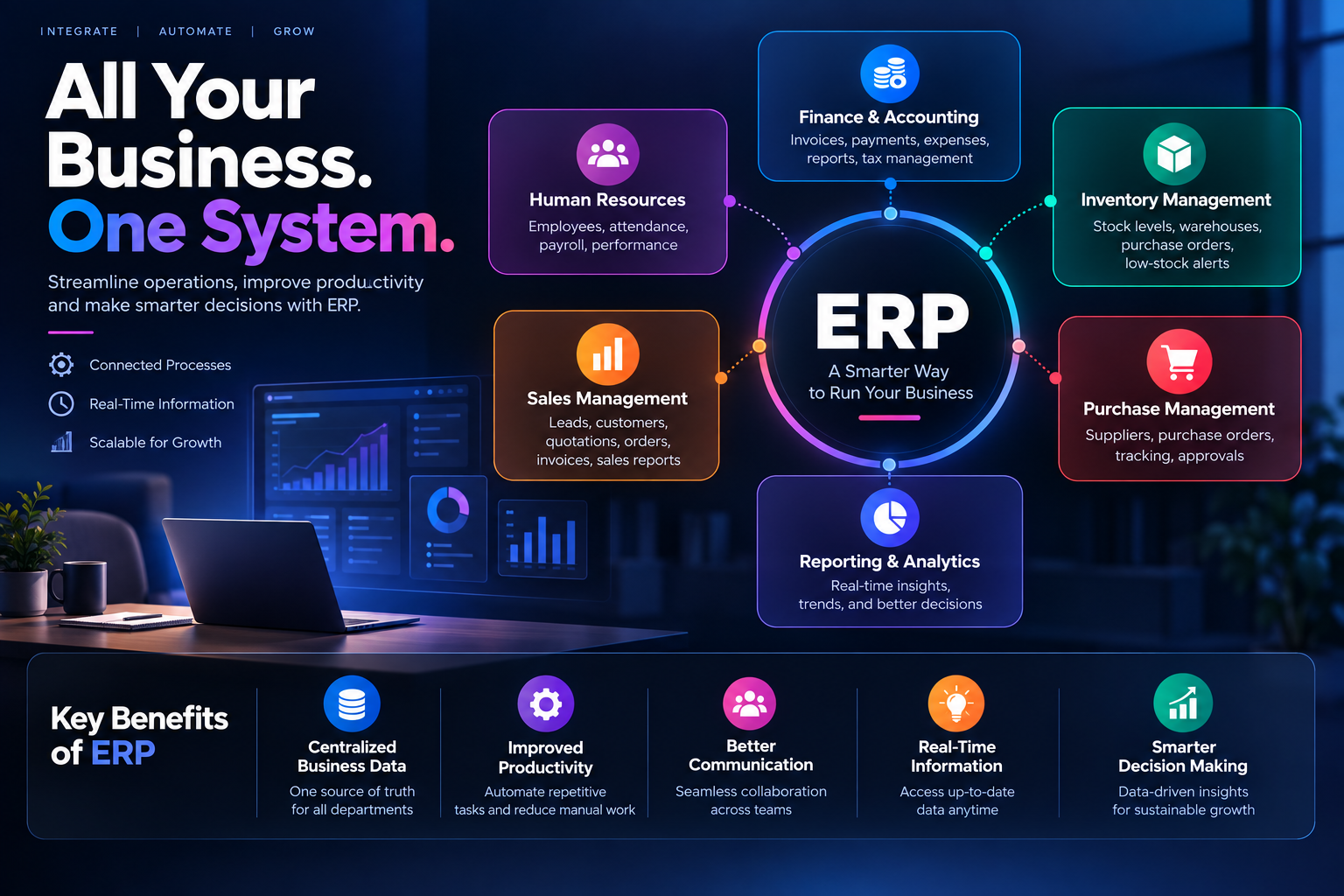
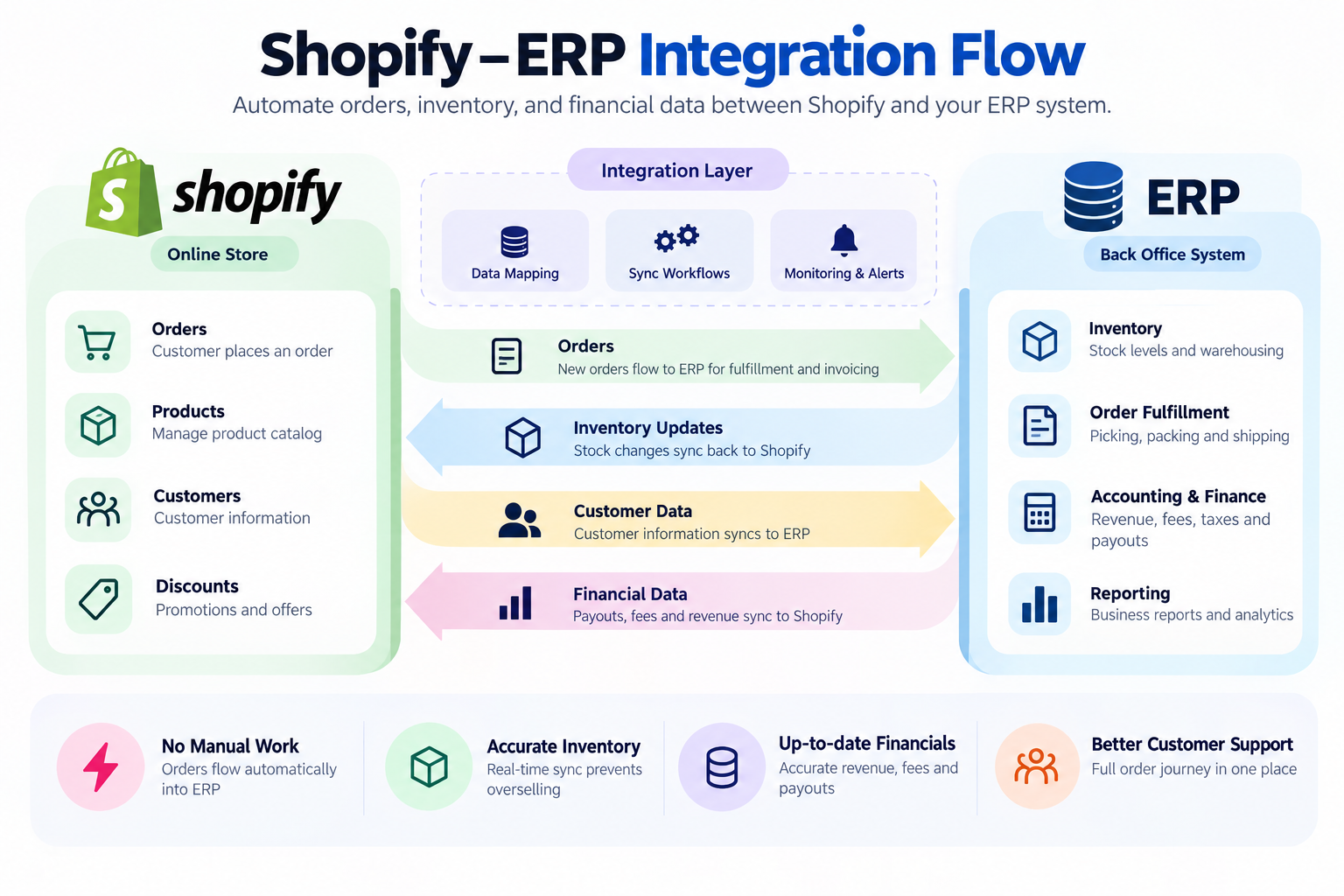
Shopify is built to sell. Your ERP — whether that's NetSuite, Microsoft Dynamics 365, Odoo, or Sage — is built to run the back office: inventory, accounting, fulfillment, and reporting. Each does its job well on its own, but the moment they need to share information, gaps appear.
A connected setup means:
Orders placed on Shopify flow straight into the ERP for fulfillment and invoicing, with no re-entry
Inventory counts sync in near real time, so you stop overselling out-of-stock items
Finance gets accurate, current numbers on revenue, fees, and payouts without manual reconciliation
Customer support can see the full order journey — from checkout to shipment — in one place
For a business running a handful of orders a week, spreadsheets are fine. For a business scaling past a few hundred orders a day, or running multiple sales channels, integration stops being a nice-to-have and becomes the thing that keeps operations from breaking.
Where Shopify-ERP Integrations Usually Go Wrong
Most integration headaches trace back to three root causes.
Mismatched data structures. Shopify and your ERP don't organize product, customer, or pricing data the same way. A product variant in Shopify might not map cleanly to a SKU structure in your ERP. Without a proper mapping layer, teams end up hardcoding fixes that break the next time a product catalog changes.
Fulfillment complexity. Orders rarely follow one clean path anymore. Some ship from your own warehouse, some from a third-party logistics partner, some through marketplaces layered on top of Shopify. Each path has its own timing and data requirements, and if the integration doesn't account for all of them, inventory numbers drift out of sync with reality.
Fragile, one-off connections. It's tempting to wire up a quick point-to-point integration between Shopify and the ERP and call it done. That works for a while — until you add a new warehouse, a new region, or a second sales channel, and the whole thing needs to be rebuilt. Point-to-point integrations don't scale gracefully; they multiply in complexity with every new system you connect.
A Practical Approach to Integration
1. Define requirements before touching any tools. Get ecommerce, finance, fulfillment, and IT in a room and agree on what "done" looks like. Which system owns product data? Which owns inventory truth? Who's notified when a sync fails? Skipping this step is the single biggest reason integrations underdeliver.
2. Map your data fields carefully. Document how Shopify's orders, customers, products, and taxes correspond to fields in your ERP. This is unglamorous work, but it's what prevents silent data errors later.
3. Build the sync workflows. Decide what needs to happen in real time (inventory updates, so you don't oversell) versus what can run in batches (daily financial reconciliation, for example). Not everything needs to sync instantly, and treating it that way just adds unnecessary load.
4. Automate order and inventory flow end to end. Orders should move from Shopify into the ERP without anyone touching a keyboard, and stock changes in the ERP should reflect back on the storefront automatically.
5. Reconcile finance and payouts. Shopify payouts, fees, and taxes need to land correctly in your ERP's books. This step is often underestimated but has a direct impact on how fast your finance team can close the month.
6. Monitor, and design for what comes next. Set up alerting for failed syncs, and build the integration so that adding a new warehouse, region, or sales channel doesn't mean starting over.
Choosing the Right Integration Method
There isn't a single correct way to connect Shopify to an ERP — the right approach depends on your scale and complexity:
Prebuilt connectors work well for standard setups with common ERPs and don't require custom development
iPaaS platforms (integration-platform-as-a-service tools) suit businesses that need flexible mapping, multiple system connections, and centralized monitoring
Custom-built integrations make sense when your business logic, fulfillment model, or ERP setup is unique enough that off-the-shelf options don't fit
The mistake to avoid is picking an approach based only on what's fastest to set up today. An integration that can't handle your business in eighteen months will need to be rebuilt — and rebuilding while live orders are flowing through it is far more painful than doing it right the first time.
Getting It Right the First Time
Shopify-ERP integration is less a one-time technical task and more an ongoing piece of infrastructure. The businesses that get the most out of it treat it that way — with clear ownership, proper data mapping, and room to grow, rather than a quick fix bolted on to solve today's problem.
This is exactly the kind of system integration work Teenva AI & Digital Ventures specializes in. We work with ecommerce and retail businesses to connect Shopify with ERP, inventory, and fulfillment systems in a way that's built to scale — not just to survive the next order spike.
If you're planning a Shopify ERP integration, or your current setup is starting to creak under growth, reach out to us at sales@teenvaai.com or +91 9572020107, or visit teenvaai.com to talk through what a properly architected integration could look like for your business.