
What Is Shopify and How Does It Work? A Practical Guide for 2026
If you have ever bought from an independent online brand, there is a good chance the store ran on Shopify. It powers everything from one-person side projects to global retailers, and it has become one of the default answers to the question, "Where should I build my online store?"
But "what is Shopify" is a bigger question than it looks. It is not just a website builder. This guide explains what Shopify is, how its pieces work together, what the plans look like, and what to think about before you launch.
What Is Shopify?
Shopify is a hosted commerce platform. You use it to build a store, list products, accept payments, ship orders, and sell across channels, all from one admin.
"Hosted" matters. Shopify runs the servers, security, updates, and uptime for you. You log in from any device and manage the business, instead of maintaining infrastructure.
It supports physical products, digital downloads, subscriptions, memberships, and services. It also handles in-person selling through its point-of-sale (POS) system, so online and offline inventory can stay in sync.
How Shopify Works: The Big Picture
Think of Shopify as a central hub. Your products, customers, and orders live in one place, and everything else plugs into that hub.
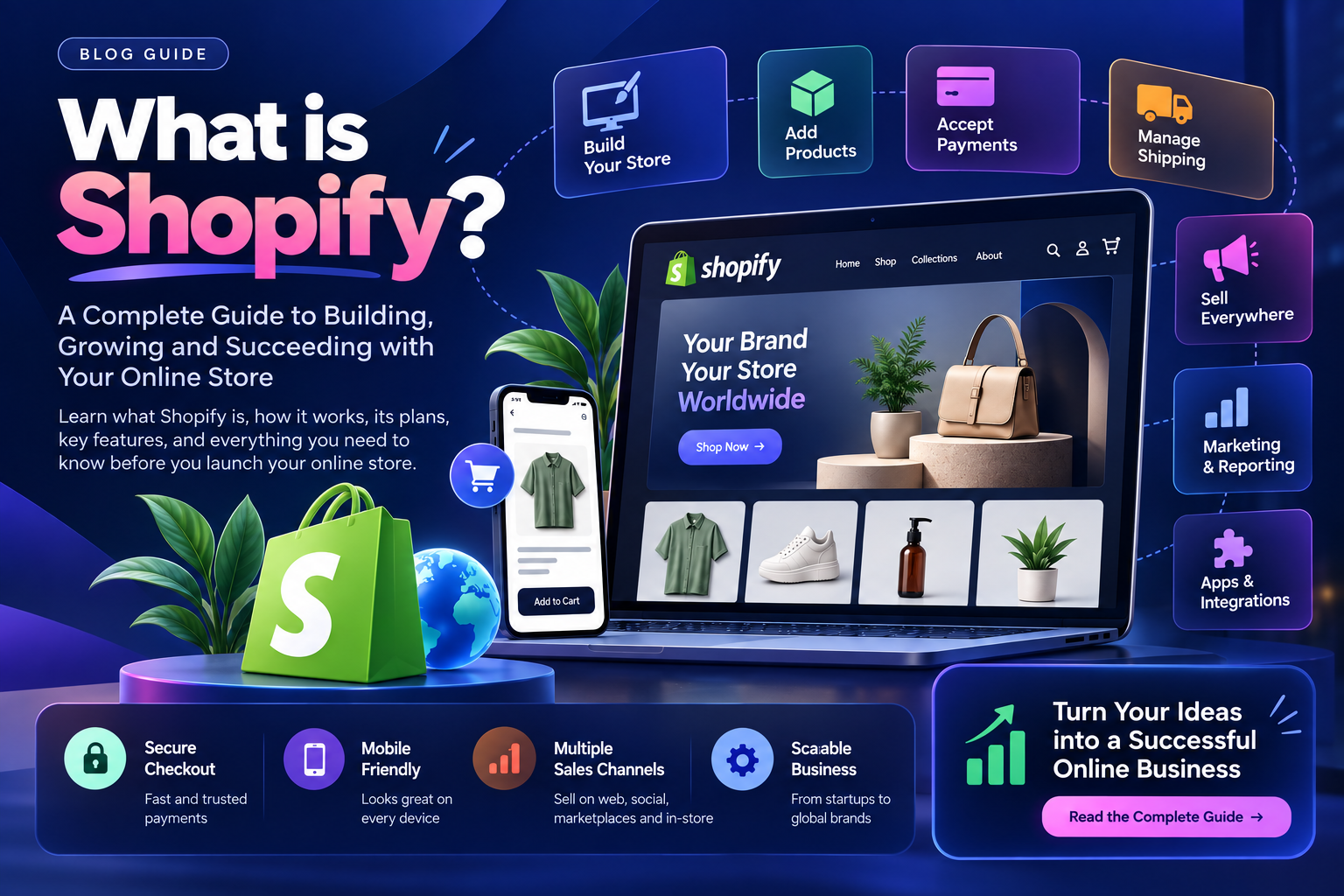
Here is what each part does.
1. Building Your Online Store
Shopify's online store editor lets you design pages with drag-and-drop sections. You can start from a ready-made theme, customise colours, fonts, and layouts, and see changes before publishing. Most themes are mobile-friendly out of the box, which matters because a large share of shoppers browse on phones.
AI assistance is now part of the workflow too, helping with product descriptions and content drafts. It speeds up the first draft, but a human pass for brand voice and accuracy is still worthwhile.
2. Adding and Sourcing Products
You can sell products you make, stock, or source. Common models include:
Own inventory: you hold and ship the stock.
Print on demand: items are produced only when ordered.
Dropshipping: a supplier ships directly to your customer.
Wholesale: you stock products from other brands.
Because the product catalogue sits in one admin, changing a price or stock level updates it everywhere you sell.
3. Checkout and Payments
Checkout is where sales are won or lost, and Shopify puts a lot of effort here. It offers a fast, secure checkout with support for major payment methods and accelerated options like Shop Pay, which lets returning customers pay in a tap.
One practical point for Indian businesses: Shopify's native payment processor is only available in a list of supported countries, and India is not on it at the time of writing. Stores in such countries connect approved third-party payment gateways instead. This is a common part of a Shopify setup in India, and worth planning early. Always check Shopify's current supported-countries list before you commit.
4. Shipping and Fulfilment
Shopify lets you print shipping labels, offer order tracking, set shipping rules, and negotiate rates through carrier integrations where available. As volume grows, you can connect to third-party logistics partners to handle storage and returns. Local delivery and pickup options can be enabled for nearby customers.
For India-based stores, courier and logistics apps usually fill this role, so shipping setup often means choosing and configuring the right app.
5. Selling Everywhere
Your website is only one sales channel. Shopify can connect to:
Social platforms such as Instagram, Facebook, TikTok, and YouTube
Marketplaces such as Amazon, Etsy, and eBay (availability varies by region)
In-person sales through Shopify POS
Wholesale and B2B on higher plans
Products, inventory, and orders flow back into one admin, which avoids the classic problem of overselling because two systems disagree.
6. Marketing and Reporting
Built-in reports show where visitors come from and which channels convert. You can build customer segments, send email campaigns, recover abandoned carts, and run discount codes. This is the difference between having a store and having a store that learns.
7. Apps and Integrations
The Shopify App Store has thousands of apps for reviews, subscriptions, loyalty programmes, customer support, ERP and CRM connections, and more. Apps are how a basic store becomes one tailored to your business. They are also where costs and complexity can quietly grow, so choose deliberately.
Shopify Plans and Pricing
Shopify offers four main plans, each aimed at a different stage:
Plan | Best for |
|---|---|
Basic | Solo founders and new stores |
Grow | Small teams with growing sales |
Advanced | Scaling businesses needing deeper reporting and lower fees |
Plus | Complex, high-volume, or enterprise brands |
Shopify usually offers a free trial and an introductory low-cost period for new merchants, and annual billing typically lowers the monthly rate. Prices, trial terms, and transaction fees change and vary by country, so check Shopify's pricing page for current figures. Remember to budget for apps, themes, payment gateway fees, and any custom development on top of the plan itself.
Who Is Shopify Good For?
Shopify tends to be a strong fit when you:
Want to launch quickly without managing servers
Sell across more than one channel
Need a checkout that is proven and secure
Expect to grow and want a platform that grows with you
It may be less ideal if your business needs highly unusual data models or complete control over every layer of the stack. In those cases, headless or custom builds on top of Shopify, or a different architecture altogether, are worth considering.
Common Mistakes When Starting on Shopify
Choosing a theme for looks only. Check speed, mobile behaviour, and flexibility too.
Installing too many apps. Each one can slow the store and add monthly cost.
Ignoring payments and shipping until late. These drive launch timelines, especially outside Shopify Payments countries.
Skipping SEO basics. Product titles, descriptions, URLs, and collection pages need attention from day one.
No plan for data. Migrating products, customers, and orders from an old platform needs care.
A Simple Launch Checklist
Define your product catalogue, pricing, and policies
Pick a theme and set up brand, navigation, and key pages
Configure payments, taxes, and shipping
Connect the apps you genuinely need
Set up analytics and basic SEO
Test the full purchase flow on mobile and desktop
Launch, then review reports weekly and improve
Getting It Done Right
Shopify makes it easy to start. Making a store fast, on-brand, well integrated, and built to convert takes more than picking a template. That is where an experienced team saves months of trial and error.
At Teenva AI & Digital Ventures, we help businesses set up and grow on Shopify: store setup and theme customisation, UI/UX design, payment and logistics integrations, custom apps, and connections to your existing systems such as ERP and CRM.
Ready to get your Shopify store built the right way? Talk to us at sales@teenvaai.com, call +91 9572020107, or visit teenvaai.com.
Frequently Asked Questions
Is Shopify good for beginners? Yes. The editor, themes, and guided setup make it approachable without coding, though design, integrations, and SEO benefit from expert help.
Is Shopify free? Not permanently. There is typically a free trial, after which you pay for a plan. Apps, themes, and payment fees can add to the cost.
Can I use Shopify in India? Yes, you can run a store from India. Shopify's native payment processor is not available in every country, so you would normally connect a supported third-party payment gateway.
What can I sell on Shopify? Physical and digital products, subscriptions, memberships, and services, subject to Shopify's acceptable use policy.
Can Shopify grow with my business? Yes. You can move up plans, add channels and markets, and extend the store with apps or custom development as you scale.