
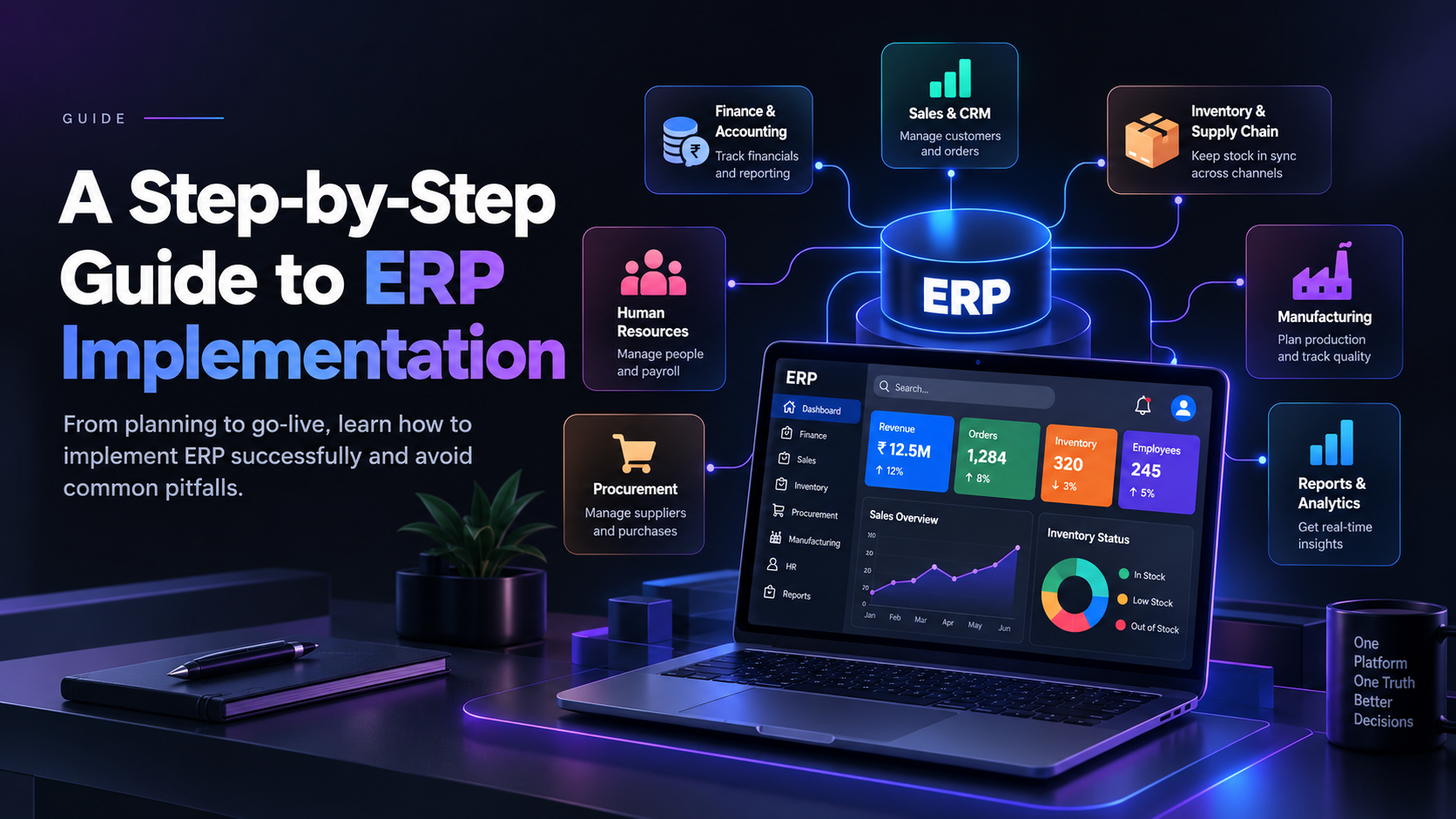
ERP Implementation: A Step-by-Step Guide for Businesses
Every growing business hits the same wall. Sales lives in one tool, inventory in a spreadsheet, finance in accounting software, and HR in someone's inbox. Reports take days, numbers never match, and decisions get made on stale data.
An Enterprise Resource Planning (ERP) system fixes this by bringing core business processes onto a single platform. But buying the software is the easy part. ERP implementation, the process of planning, configuring, migrating data, and launching the system, is where projects succeed or fail.
This guide breaks the journey into ten practical steps, with the pitfalls to avoid at each one.
What Is ERP Implementation?
ERP implementation is the structured process of deploying an ERP system across your organization. It covers far more than installing software. It includes:
- Defining business requirements and goals
- Selecting the right ERP platform and implementation partner
- Configuring modules (finance, inventory, sales, HR, procurement, and more)
- Migrating data from legacy systems
- Integrating the ERP with existing tools
- Training users and managing change
- Going live and supporting the system afterward
A typical implementation takes anywhere from three months for a small business to 12 to 18 months or more for a large enterprise, depending on scope and complexity.
The ERP Implementation Roadmap at a Glance
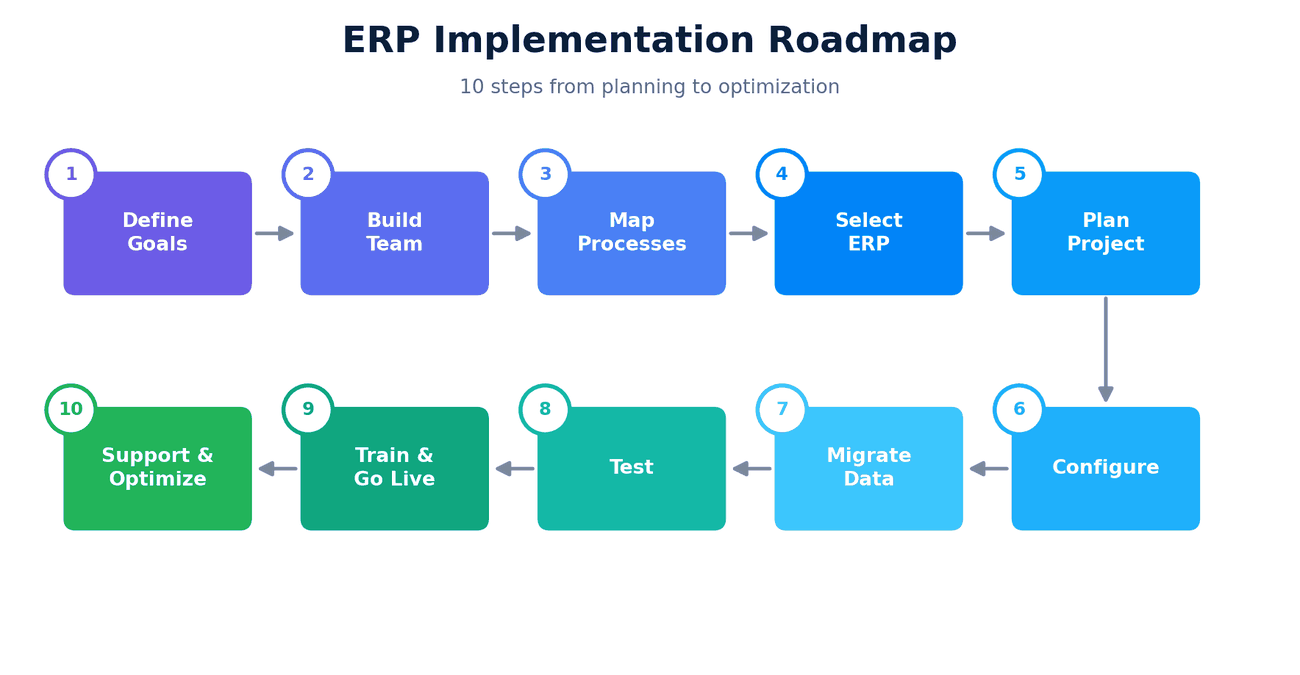
Step 1: Define Your Goals and Scope
Before looking at any software, get clear on why you need an ERP. Vague goals like "modernize our systems" lead to vague results.
Strong goals look like this:
- Reduce month-end closing time from 10 days to 3
- Cut inventory carrying costs by 15%
- Give sales and finance one shared view of customer orders
- Eliminate duplicate data entry across departments
Also decide the scope. Which departments and processes go live in phase one, and which can wait? Trying to do everything at once is one of the most common causes of failure.
Step 2: Assemble the Right Project Team
ERP is a business project, not just an IT project. Your team should include:
- Executive sponsor: a senior leader who owns the outcome and clears roadblocks
- Project manager: the person who keeps timelines, budgets, and communication on track
- Department leads: people from finance, operations, sales, HR, and other affected teams who know how work really gets done
- IT lead: responsible for infrastructure, security, and integrations
- Implementation partner: an external team with ERP experience, if you lack in-house expertise
Step 3: Map Your Current Processes and Requirements
Document how your business runs today: order-to-cash, procure-to-pay, inventory flow, payroll, reporting. Then identify the pain points and gaps.
This is also the moment to ask a hard question: should we copy our old process into the new system, or fix it? Many businesses discover that an ERP is a chance to simplify workflows rather than digitize inefficiency.
Turn your findings into a prioritized requirements list, split into must-haves, nice-to-haves, and future needs.
Step 4: Select the Right ERP System
With requirements in hand, evaluate vendors and deployment models.
| Factor | What to Consider |
|---|---|
| Deployment | Cloud, on-premise, or hybrid |
| Industry fit | Does it support your sector's specific workflows? |
| Scalability | Can it grow with users, locations, and transactions? |
| Customization | How flexible is it without becoming expensive to maintain? |
| Integrations | Does it connect with your CRM, e-commerce, payment, and other tools? |
| Total cost | Licenses, implementation, training, support, and upgrades |
| Vendor support | Reputation, roadmap, and local availability |
Request live demos built around your scenarios, not a generic sales script. Check references from companies similar to yours.
Step 5: Create a Detailed Project Plan
Now turn the decision into an executable plan. A solid plan includes:
- Phases, milestones, and owners
- A realistic timeline with buffer for surprises
- A budget that covers software, services, data work, training, and contingency (10 to 20% is common)
- A risk register listing what could go wrong and how you'll respond
- A communication plan so stakeholders always know the status
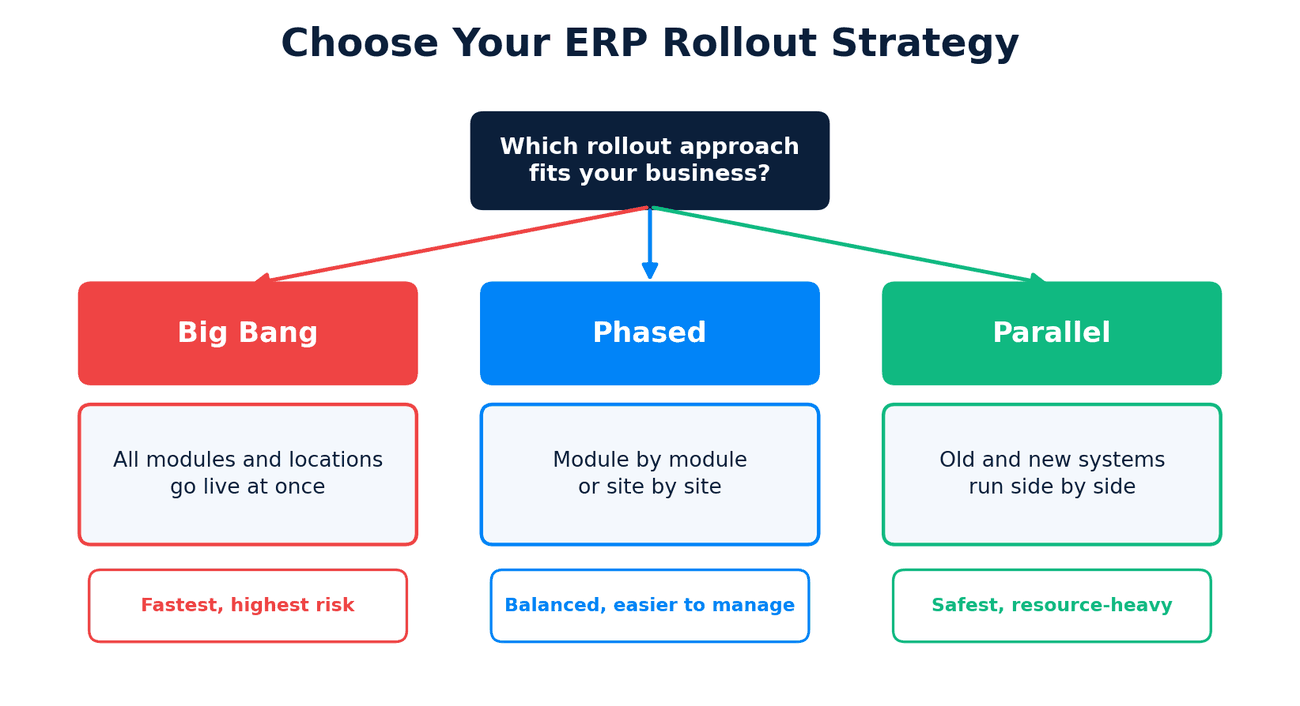
Decide your rollout approach too:
Step 6: Configure and Customize the System
This is where the platform is shaped to your business. Configuration covers chart of accounts, user roles and permissions, workflows and approvals, tax rules, reports and dashboards.
A key principle: configure before you customize. Standard features are easier to maintain and upgrade. Reserve custom development for genuine differentiators, because heavy customization raises cost, slows upgrades, and adds long-term risk.
Step 7: Migrate and Clean Your Data
Data migration is often underestimated, and it is where many timelines slip. Poor data quality turns an expensive new system into an expensive new mess.
- Audit existing data across all legacy systems
- Clean it by removing duplicates, fixing errors, and archiving obsolete records
- Map old fields to new ERP fields
- Migrate in trial runs first, then the final load
- Validate with reconciliation reports to confirm nothing was lost or corrupted
Plan for at least two or three trial migrations before the real one.
Step 8: Integrate and Test Thoroughly
Most businesses don't replace everything. The ERP needs to talk to e-commerce platforms, CRMs, payment gateways, logistics providers, and BI tools. Well-built APIs and integrations keep data flowing without manual re-entry.
Then test in layers:
- Unit testing: does each module work on its own?
- Integration testing: do modules and external systems exchange data correctly?
- User acceptance testing (UAT): can real users complete real tasks end to end?
- Performance and security testing: can the system handle peak load and protect sensitive data?
Don't skip UAT or rush it. Issues found now cost far less than issues found after go-live.
Step 9: Train Your People and Go Live
Technology doesn't fail ERP projects. People adoption does. Invest in change management:
- Role-based training, so each team learns what they actually use
- Super-users in each department who coach colleagues
- Clear documentation and quick-reference guides
- Early, honest communication about what is changing and why
For go-live, pick a low-risk window (often outside quarter-end or peak season), prepare a cutover checklist, and have a support team on standby. Expect a few bumps in the first weeks and plan for them.
Step 10: Support, Monitor, and Optimize
Go-live is the start of the next phase, not the finish line. After launch:
- Provide hypercare support for the first 30 to 90 days
- Track the KPIs you defined in Step 1
- Collect user feedback and fix friction points
- Roll out remaining modules or phases
- Schedule regular reviews, updates, and security patches
The businesses that get the most from ERP keep refining it as they grow.
Common ERP Implementation Mistakes to Avoid
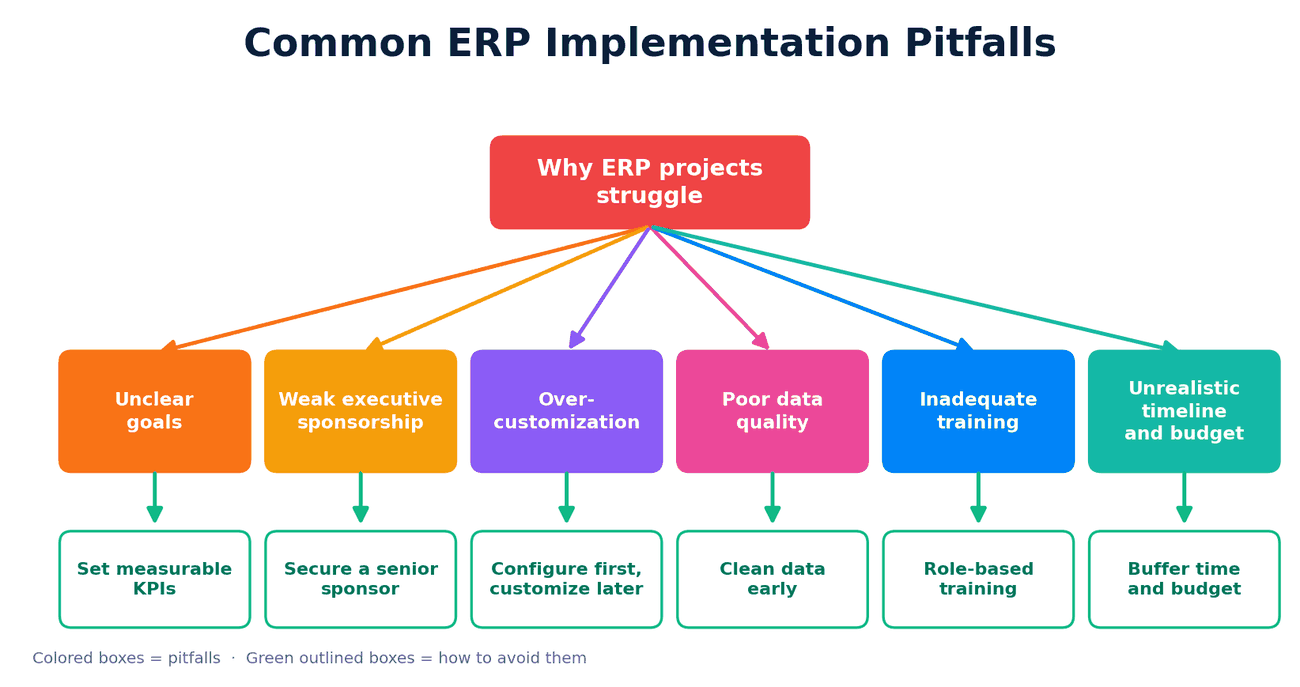
- Unclear goals: without measurable targets, you can't tell if it worked.
- No executive backing: projects stall when no one can resolve cross-department conflicts.
- Over-customization: every custom change is something you must maintain forever.
- Dirty data: garbage in, garbage out.
- Underinvesting in training: unused features mean unrealized ROI.
- Unrealistic expectations: ERP delivers lasting value, but not overnight.
How Long Does ERP Implementation Take, and What Does It Cost?
There's no single answer, but as a rough guide:
| Business Size | Typical Timeline | Key Cost Drivers |
|---|---|---|
| Small business | 3 to 6 months | Licenses, configuration, training |
| Mid-sized company | 6 to 12 months | Customization, integrations, data migration |
| Large enterprise | 12 to 24+ months | Multi-site rollout, complex integrations, change management |
Costs vary widely based on the platform, number of users, customization, and the partner you choose, so always get a detailed, itemized estimate.
Key Takeaways
- ERP implementation is a business transformation, not just a software install.
- Clear goals, strong sponsorship, and the right team matter more than the software itself.
- Clean data, thorough testing, and proper training prevent most go-live problems.
- Configure first, customize sparingly, and plan for ongoing optimization.
Ready to Implement ERP the Right Way?
At Teenva AI & Digital Ventures, we help businesses across travel, healthcare, e-commerce, and retail plan, build, and integrate the systems that run their operations. From software development and system integrations to AI solutions and managed IT services, our team can help you implement an ERP that fits your processes instead of forcing you to fit it.
Planning an ERP rollout or struggling with one already in progress? Let's talk.
- Email: sales@teenvaai.com
- Phone: +91 9572020107
- Website: teenvaai.com